There are no items in your cart
Add More
Add More
| Item Details | Price | ||
|---|---|---|---|
August, 2026
Author:Team Rodha

The CAT 2026 form filling process is now underway following the release of the CAT 2026 notification. While the application is straightforward, mistakes in personal details, academic information, documents, or work experience can create problems later. This guide covers the key steps you need to follow while completing your CAT 2026 application.
According to the CAT 2026 notification, registration opened on August 3, 2026, at 10 AM and will close on September 15, 2026, at 5 PM. The CAT 2026 exam is scheduled for November 29, 2026, and candidates need to select five preferred test cities.
Before starting CAT 2026 form filling, keep your important documents nearby. This will help you enter information accurately and avoid interruptions during the application process. Keep these ready:
Also keep an active email address and mobile number accessible throughout the admission process.
Visit the official CAT website, iimcat.ac.in, and select "New Candidate Registration."
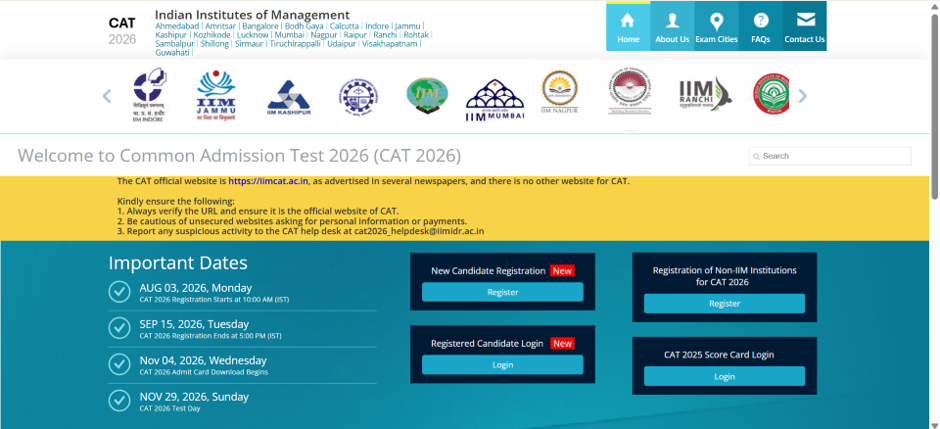
Candidates who appeared for CAT in previous years, including CAT 2024 or CAT 2025, must create a new account for CAT 2026. Previous login credentials cannot be reused.
During registration, enter your:
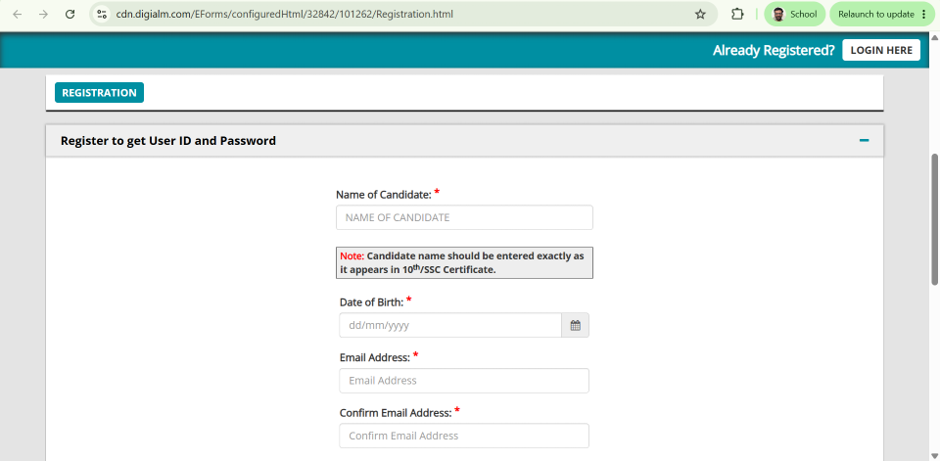
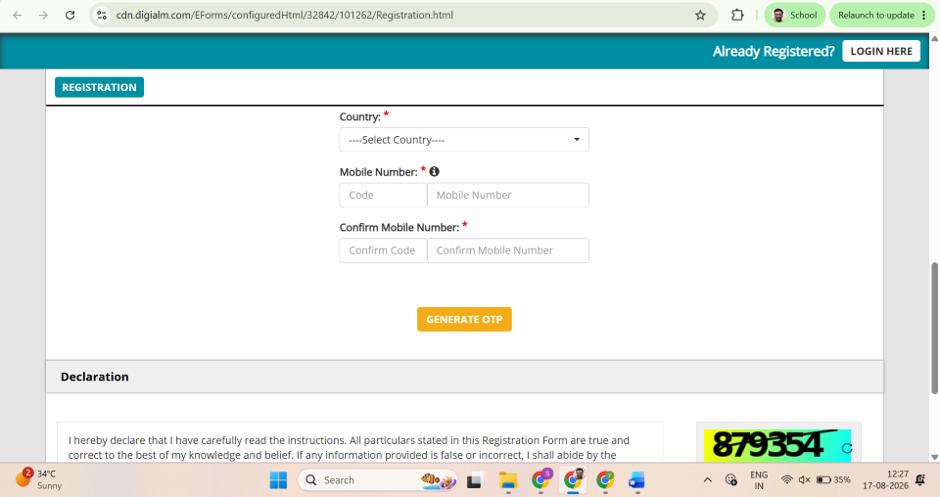
Use an email address and mobile number that you will be able to access throughout the admission process.
After submitting your registration details, you will receive one OTP on your mobile phone and another on your email address. Enter both OTPs to verify your contact information.
Before you begin the CAT 2026 application, update your browser to the latest version. An outdated browser may cause issues while verifying OTPs or navigating through the form.
Enter your name exactly as it appears on your Class 10 marksheet. Pay attention to spelling, initials, spacing, and the order of your name.
Your Class 10 marksheet is also used to verify your date of birth. Therefore, even a small mismatch can create difficulties during document verification. Use a different name only if you have legally changed it and have valid documents to support the change.
Once your registration is complete, the CAT authorities will send your User ID and password to your registered email address.
Use these credentials to access the application form. Keep them safely stored because you will need the same User ID and password for future logins. The portal will not normally use OTP authentication for every login.
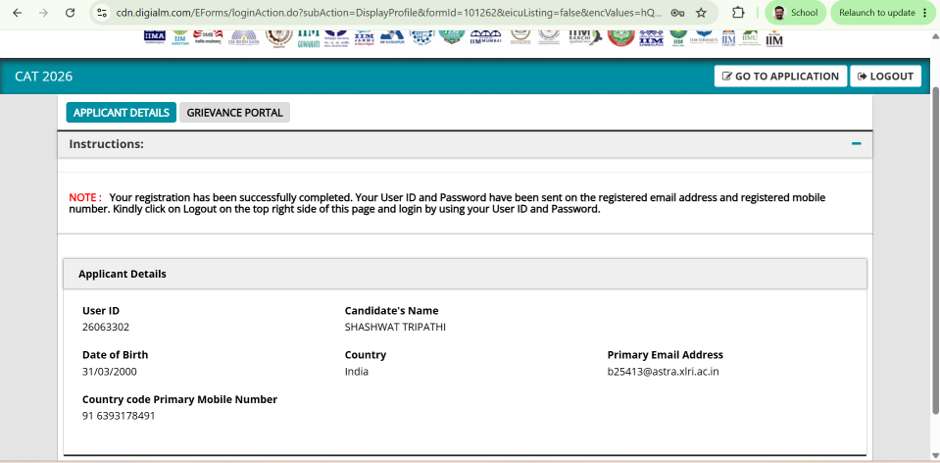
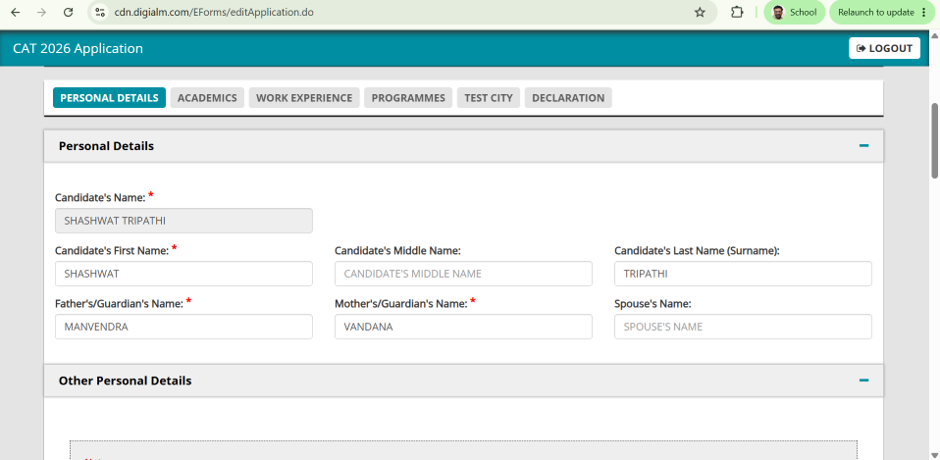
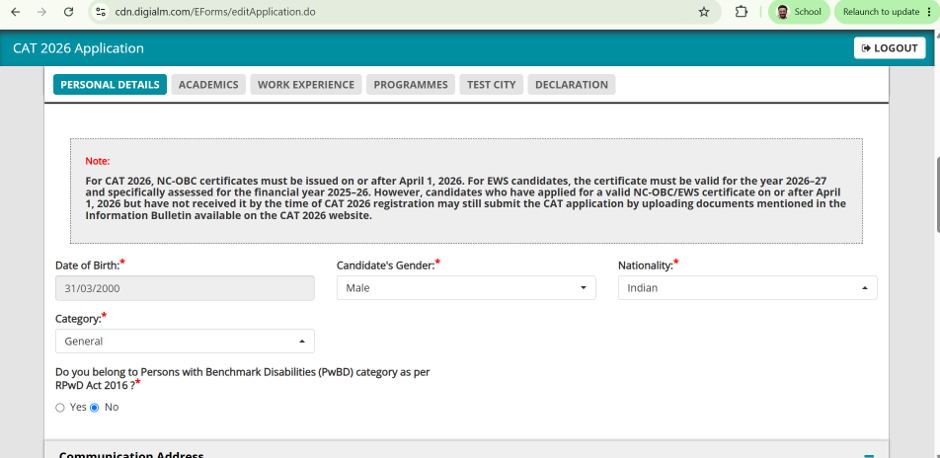
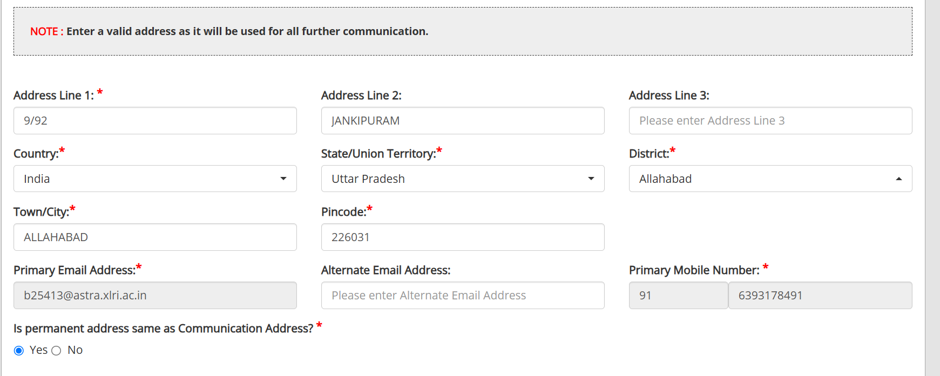
The personal details section includes your gender, nationality, category, communication address, permanent address, and emergency contact information.
Provide a communication address where you or a family member can reliably receive important correspondence. If your communication address and permanent address are identical, check the relevant option instead of entering the same details repeatedly.
You must upload a recent passport-size photograph and a clear image of your signature.
The usual file-size limits mentioned in the application are:
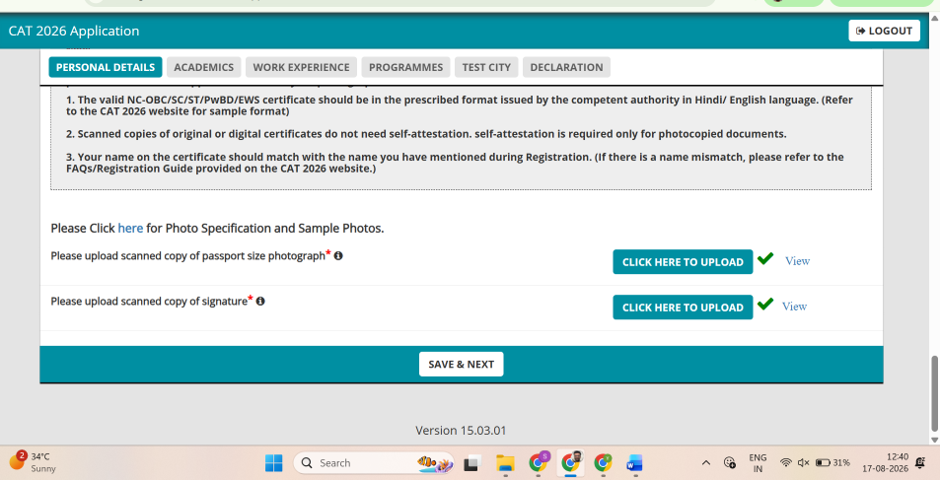
Resize or compress the files if they exceed the permitted limit. Before continuing, preview both uploads to confirm that they are clear, properly cropped, and belong to you.
Enter your school-level academic information using your official marksheets. This section generally requires the board name, completion month and year, maximum marks, marks obtained, and aggregate percentage.
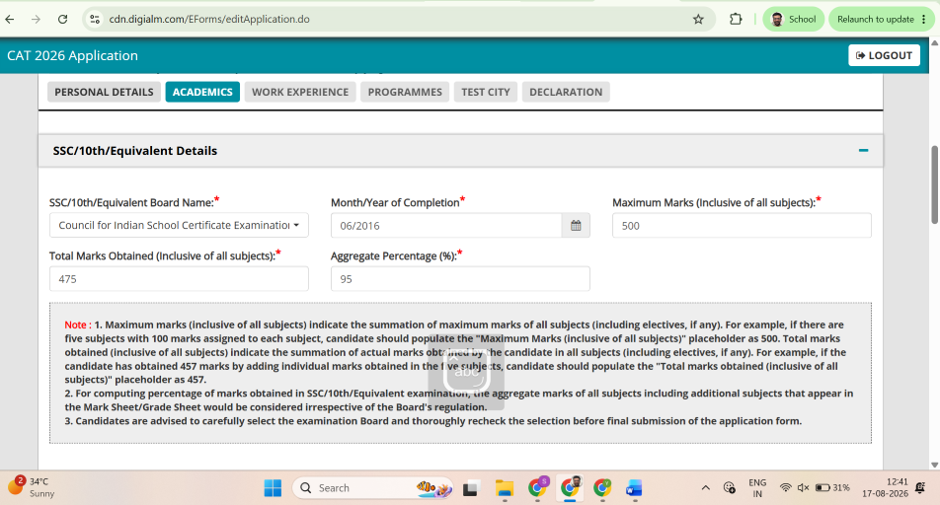
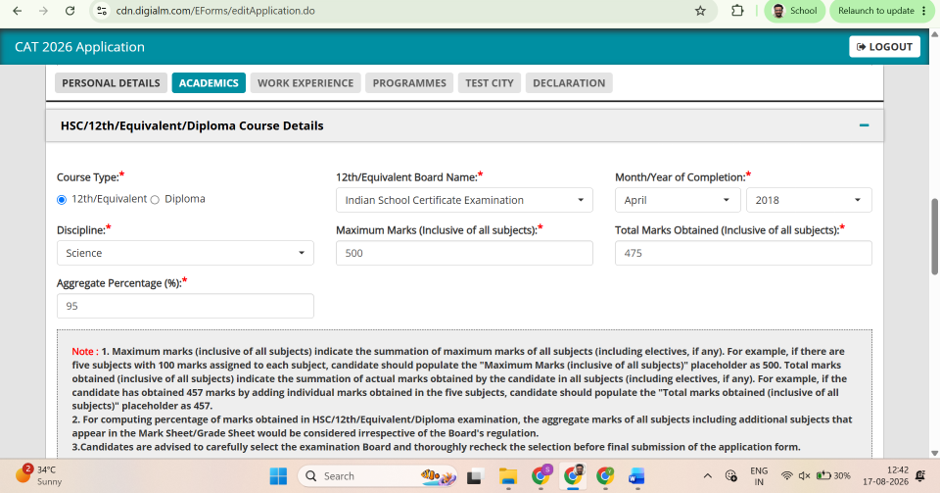
Use the month and year printed on the marksheet. For percentage calculations, include every subject listed on the document. Do not use only the best four or best five subjects unless your board officially follows that method.
If your board uses CGPA instead of marks, apply the conversion formula officially prescribed by the board. When in doubt, check the board's official website rather than relying on an unofficial calculator.
While completing the graduation section of the CAT 2026 form, select the status that correctly describes your situation.
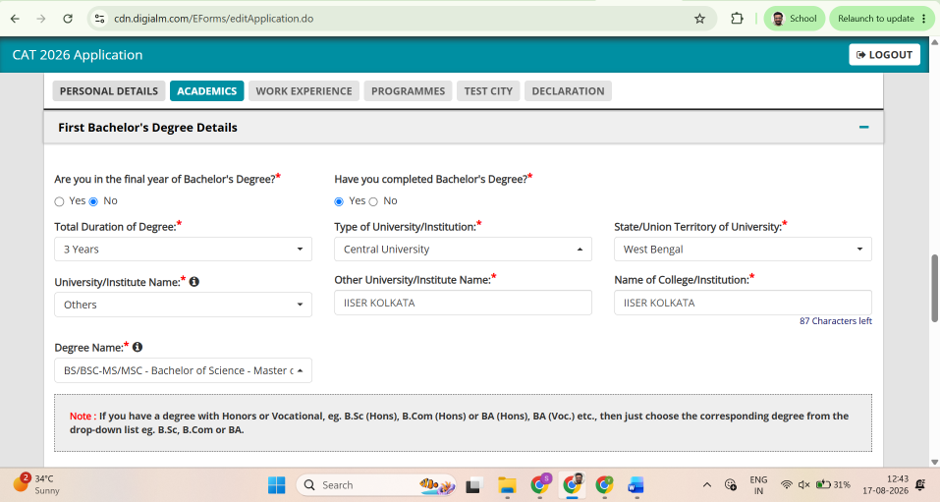
Enter the details of your university, not just your college. Depending on the form, you may need to provide your degree name, discipline, stream, and course duration. If you are unsure about any information, verify it through your university's official website.
Use the date of your last final examination as the graduation completion date, wherever the form asks for it. Do not use the date on which your degree certificate or marksheet was issued unless the official instructions specifically require that date.
This information can affect how your work experience is calculated. Since eligible work experience is generally counted after graduation, using a later certificate-issue date may reduce the experience credited to you.
Add your maximum marks, marks obtained, and aggregate percentage based on your official graduation records.
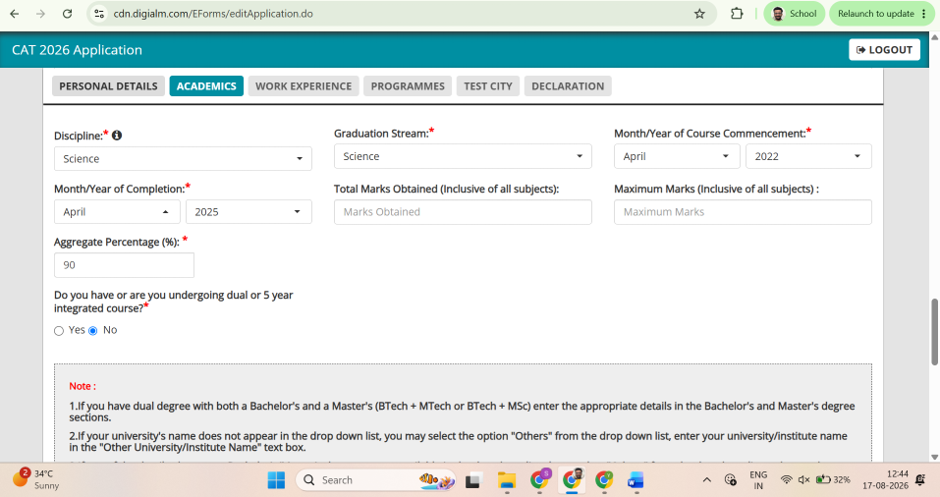
Calculate the aggregate using all applicable subjects and marks. Avoid entering figures based only on selected semesters or subjects unless that is the official calculation method followed by your university.
Candidates who were promoted during the COVID period without receiving marks through the usual examination process should select the appropriate option available in the application form.
The form will ask whether you have completed or are pursuing a master's degree or professional qualification.
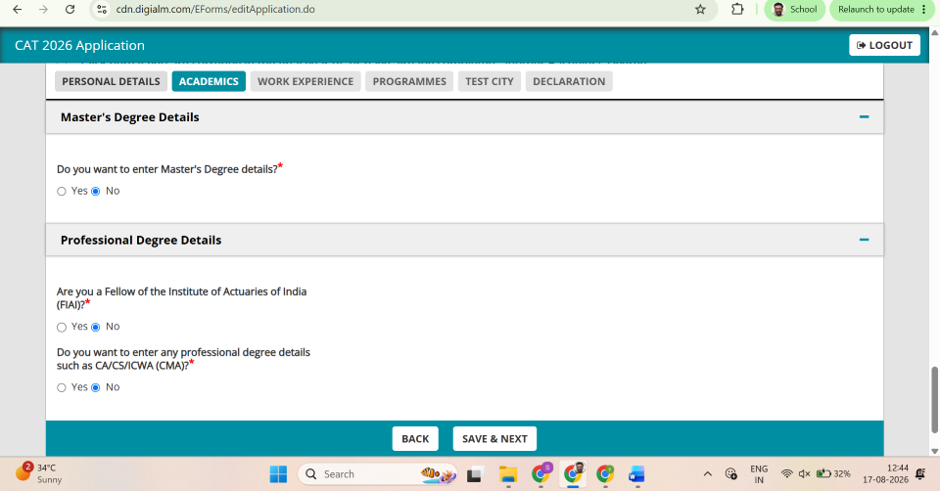
Relevant qualifications may include CA, CS, ICWA or CMA, and actuarial qualifications. Select "No" if you do not hold any of these qualifications. If you do, enter the required course, institution, and completion details from your official records.
Candidates with work experience must enter details for every organization separately. The form may ask for the organization name, designation, joining date, end date, and any break in service.
If you received multiple designations within the same company, record each designation separately wherever the application requires it.
For CAT 2026, work experience is considered only up to July 31, 2026. If you are still employed on that date, use July 31, 2026, as the end date. Work experience earned after this cutoff may not be included while generating interview calls, although it could be relevant at a later stage of the admission process.
Choose all programmes for which you are eligible and genuinely willing to be considered.
Do not reject a programme simply because you are unsure about joining it at this stage. Receiving an interview call can provide useful experience and help you understand the selection process better.
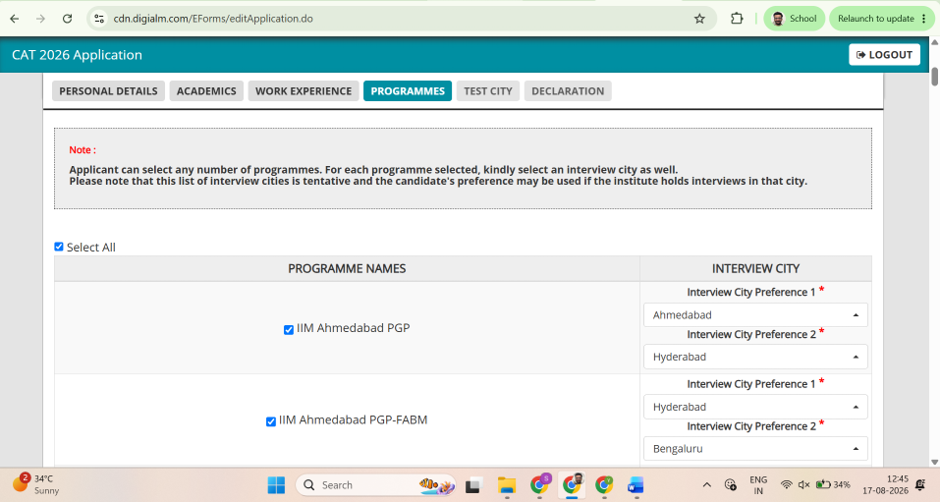
Think about travel time and scheduling before selecting interview cities. Choosing a different city for every institute may result in overlapping interview dates, frequent travel, higher expenses, and unnecessary fatigue.
Selecting the same or nearby cities, wherever possible, can make the interview season easier to manage. It may also reduce the need to request rescheduling later.
You need to select five preferred test cities in the application form.
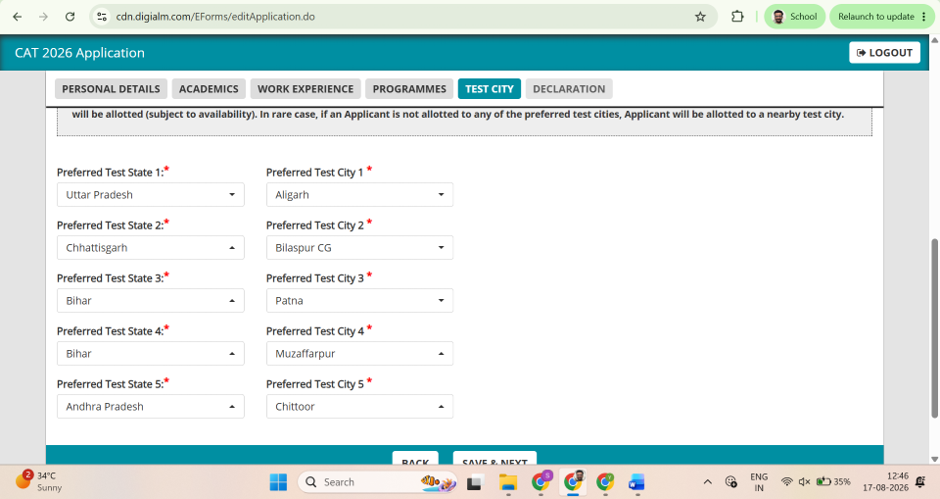
Consider where you are likely to be living around the examination date, not just where you are currently located. A practical choice can help you avoid last-minute travel and accommodation problems.
Use the preview facility to inspect the complete application before submitting it. Check your personal information, academic records, graduation details, work experience, uploaded files, programme preferences, and city choices.
A useful approach is to compare each section with your original documents. You can also ask a parent, sibling, friend, or mentor to review the application with you. Although an edit window may be provided, some fields may remain locked. Major errors could require a new application and another fee payment.
After confirming that all information is correct, accept the declaration, enter the captcha, and submit the form. Complete the payment using the available payment method.
Your application will be considered complete after the payment is successfully processed and the confirmation is generated. Save the confirmation page, payment receipt, User ID, and password for future reference.
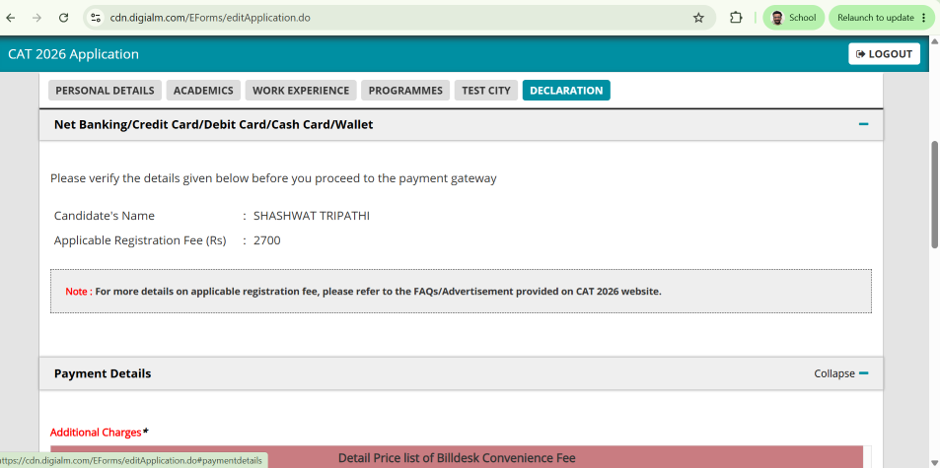
A final review before payment can help you avoid mistakes that may be difficult or impossible to correct later.
Before submitting your application, check that:
Completing the CAT 2026 form is only the first step. The next challenge is preparing consistently across VARC, DILR and QA with a strategy that works for your strengths and weaknesses. Rodha offers structured CAT preparation through classes, practice sessions, mock tests and guidance for aspirants targeting a strong percentile.
Start your CAT 2026 preparation with Rodha and build a consistent study routine alongside regular practice and mock tests. The earlier you identify your weak areas, the more time you have to improve them. Once your form is submitted, you can focus on the bigger goal: preparing effectively for CAT 2026.
Explore all our CAT courses here!